
Whats New? - November 2024
The holiday season is in full swing, and thanks to our compatibility with Shopify's new API release, we have all sorts of updates to show off in Report Toaster!
Let's take a look!
More Variants
One of the main changes with the new API release is that Shopify now allows merchants to have up to 2,000 variants per product (up from 100).
So for merchants who have a lot of variants, you'll be pleased to hear that we're already compatible with this change :)
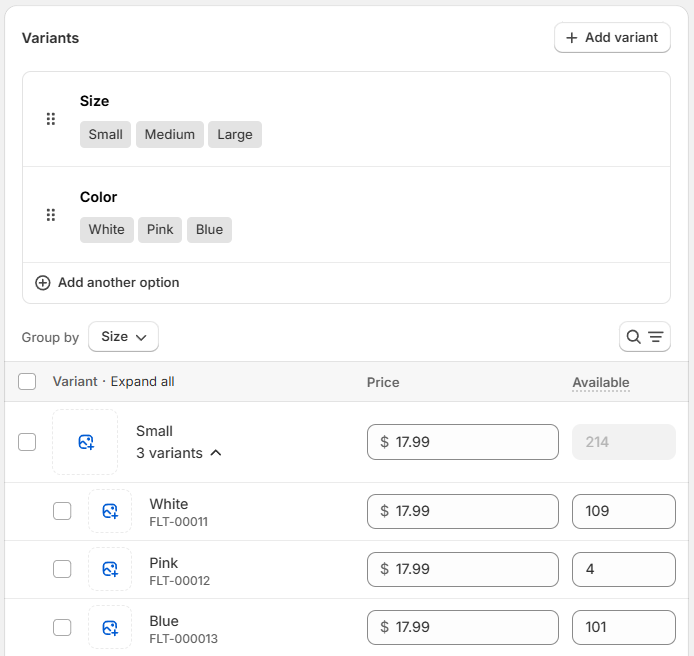
(click image to enlarge)
More Options
The other big takeaway from this change is that Shopify now allows you to have unlimited options per product. Again, we can fully support this in our app.
In practice, what this means is that while you are still limited to 3 options per variant, you can draw from a total "pool" of an unlimited number of options.
For example:
Your clothing store might have 4 options - Color, Material, Neck Size and Waist Size.
Your T-Shirts might have 3 options (Color, Material, Neck Size) while your Shorts have a different 3 (Color, Material, Waist Size).
New Fields
Finally, as a result of these changes, we now have all sorts of great new data points available in our app.
1.) Product Images
We can now include the actual image of the product directly in a report!
This is available on any product-related report (and has been added to the default Products report as well):
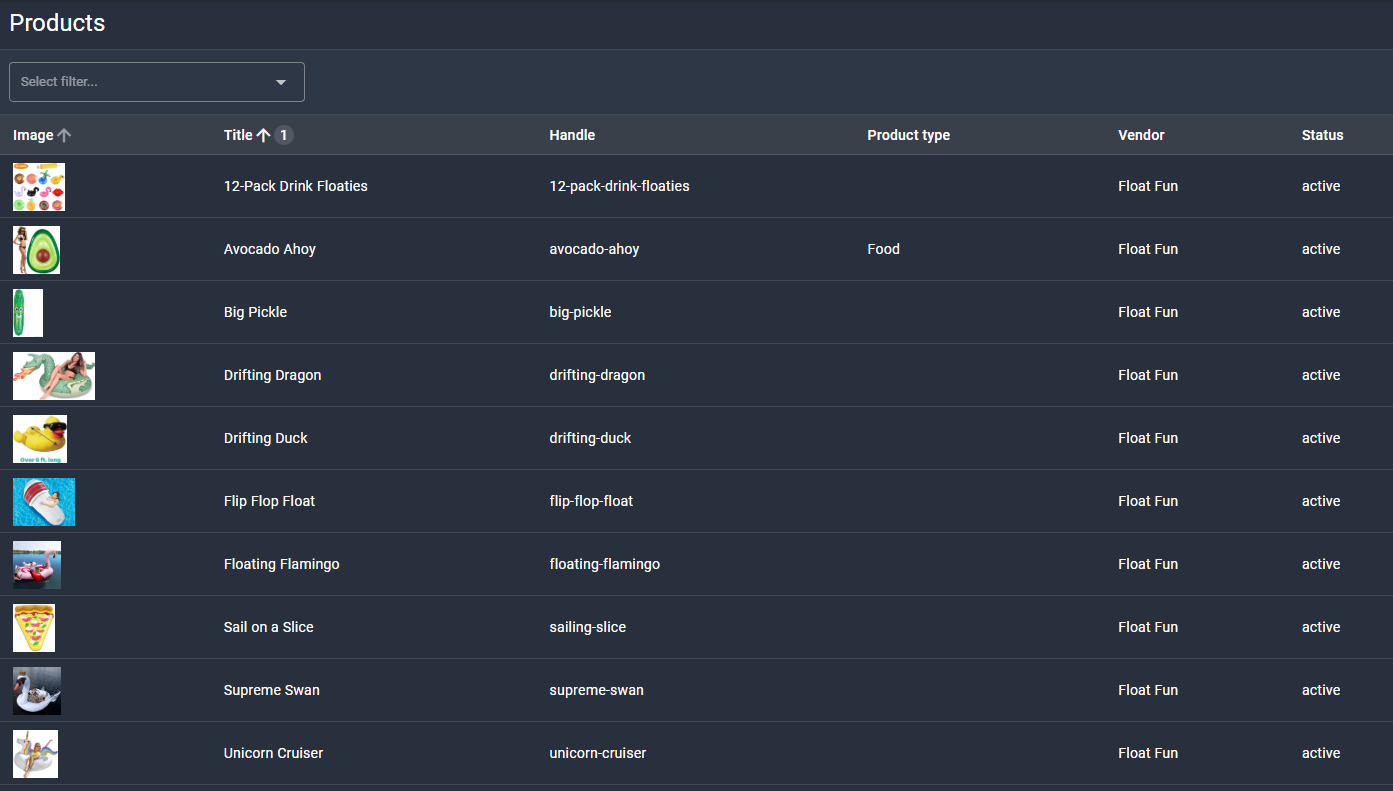
(click image to enlarge)
Not only will this help users with organizing their inventory, but you can also more easily locate products that have unsuitable or outdated images as well.
See our Product Cleanup report for a list of those with missing images.
2.) Product Category
This is the category of the product from Shopify's Standard Product Taxonomy (see here).
Unlike Product Type, these are standardized and universal categories that merchants use for organizing their products.
Shopify's example here is very helpful:
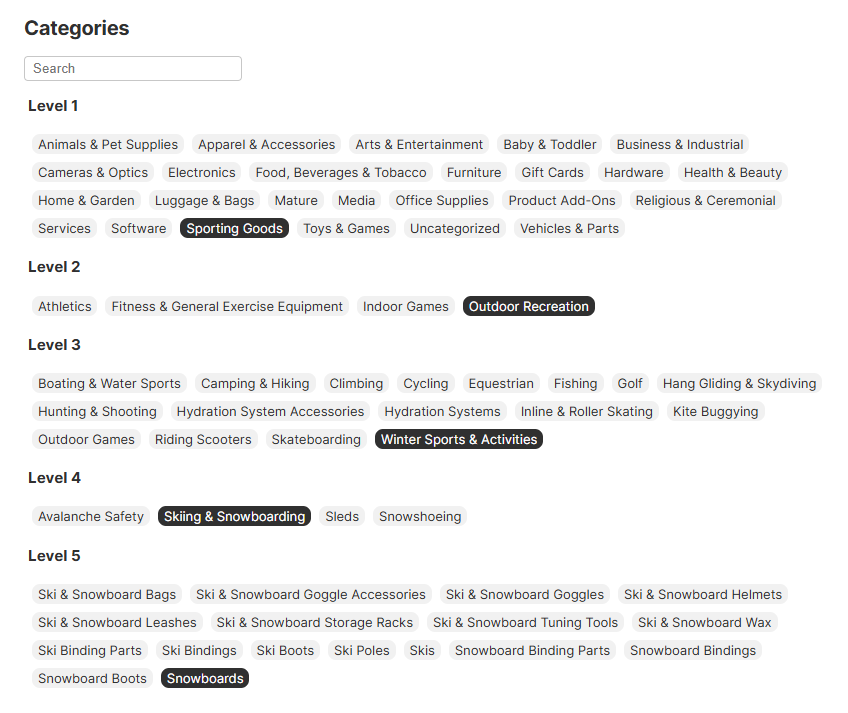
(click image to enlarge)
Like product images, these category fields are available on any product-related report.
We've also already created a new Sales by Product Category report as well:
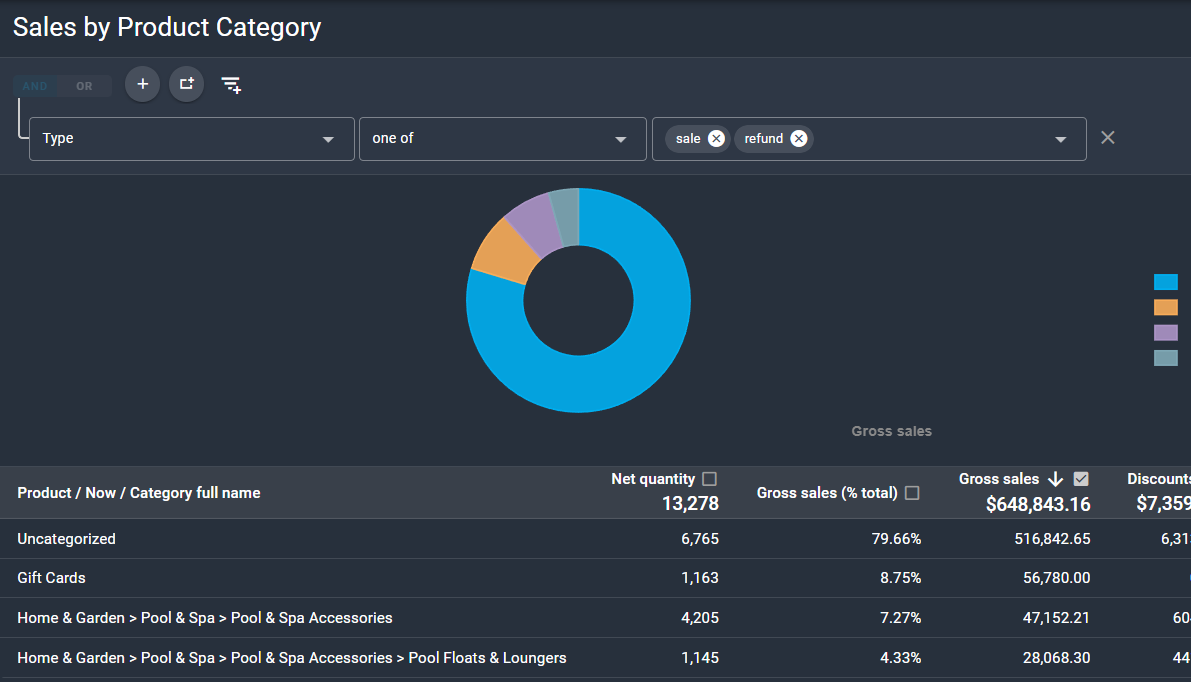
(click image to enlarge)
3.) Other Fields
Ultimately, there's a lot of new fields available with this release!
So rather than go through everything, we think it's best to just give you a quick highlight reel of some of the more useful ones you might be looking for:
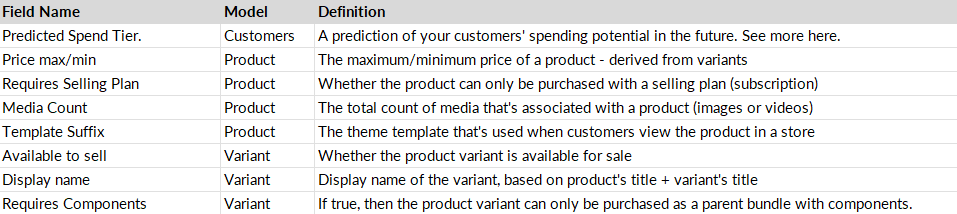
(click image to enlarge)
Finally, Collections data is now a lot more accessible with this release, giving us a few more options.
- On our Sales reports, we can now access the Collections a product is in now (not just time of sale).
The default Sales by Collection report has been updated to reflect this change.
- We can now show on a Product level the Collections a product was included in.
This has been added to the default Products report as a dropdown (alongside Variants):
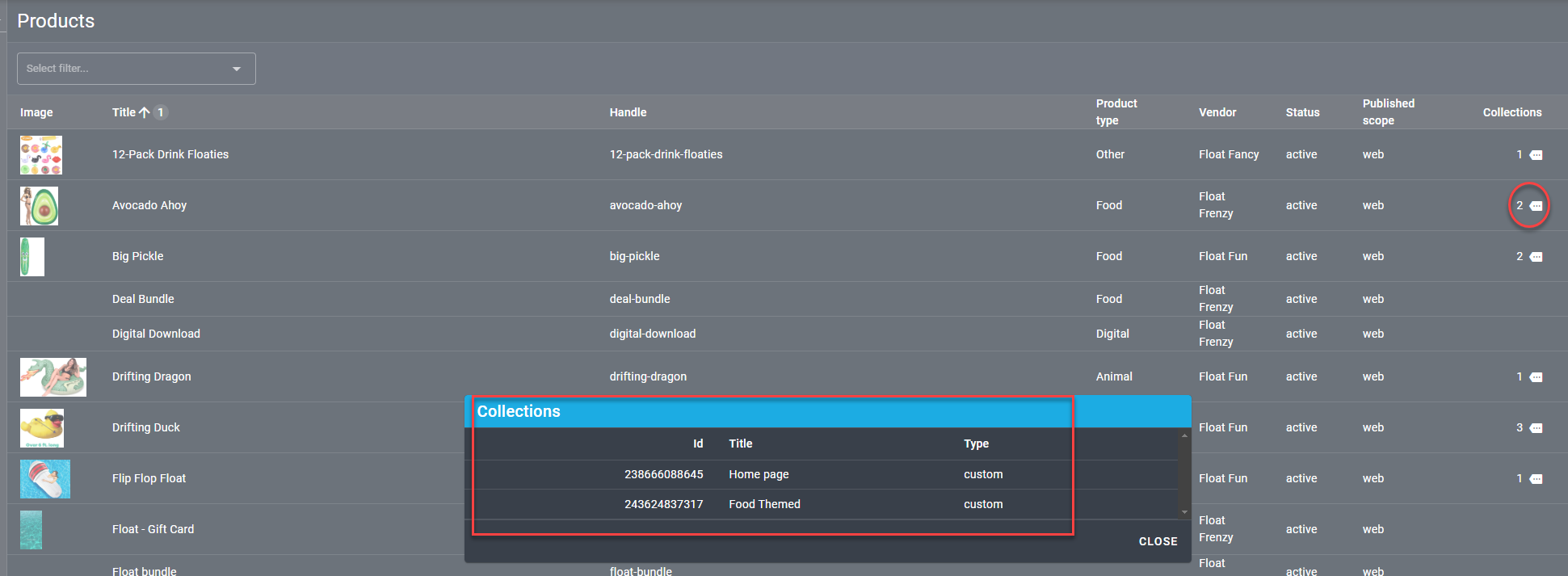
(click image to enlarge)
If you have any questions about these additions or would like help setting something up for your account, feel free to reach out to us at [email protected].
Until next time!